
A FaceApp alternative for a natural smile in a real photo
FaceApp's smile filter is quick fun. If you want a smile that looks natural in a photo you'll actually use, here's what to look for, and a tool built for it.

FaceApp made the smile filter famous: pick a photo, tap a smile, and a serious face grins. It also does ages, hairstyles, beards and much more. It's fast and it's fun.
When the photo is one you want to use, for a profile, a trip album or a message to someone you're meeting, the bar is higher. The smile has to look like your smile, fit the moment, and leave everything else alone.
What makes a fake smile look fake
A real smile moves the whole face. The cheeks lift, the eyes narrow a little and crinkle at the corners. A filter that only reshapes the mouth gives you a smile with neutral eyes, and that's the same thing that makes a held "say cheese" smile look forced. Our guide to smiling naturally in photos explains it in more detail.
Three things decide whether an added smile works:
- It's your smile. Your mouth, teeth and cheeks, not a template.
- The eyes join in. A little narrowing and lift around the eyes, the way it happens in real life.
- It's the right size. A broad grin in a quiet, moody photo looks pasted on. Often a small smile is enough.
How Glowly handles a smile
Glowly's Smile is a dial, not a filter. It runs from Neutral through Smile to Laugh, and you stop where it fits the photo.
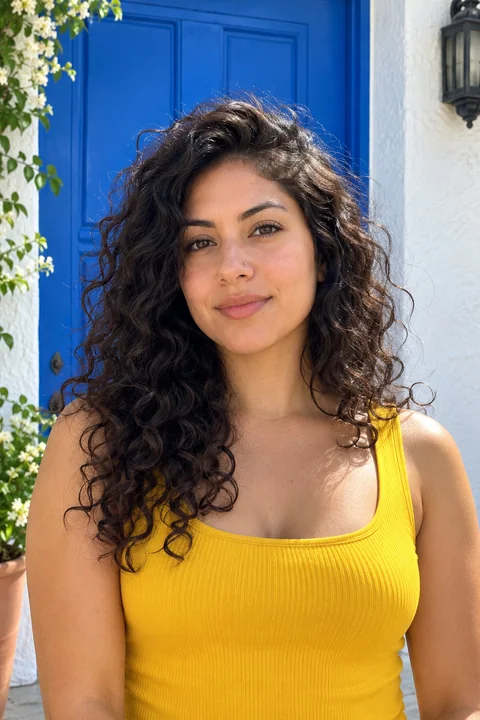 Before
 After
AfterOnly your expression changes. Your face shape, skin, age and hair stay as they were, and so does the rest of the photo. There are no age, gender or hairstyle filters, on purpose: Glowly is for photos that should still look like you.
FaceApp or Glowly?
FaceApp if you want to play: see yourself older, with a beard, with a different hairstyle, or swap looks with friends.
Glowly if you have a real photo with a serious or forced smile and you want a natural smile in it, plus the other near-misses: closed eyes or eyes not on the camera.
Trying it
Open the web editor in any browser, choose a photo and turn the Smile dial. Trying is free. Saving the full-size photo uses 1 credit or Glowly Plus ($29.99 a year with a 3-day free trial, or $4.99 a week); credits start at $4.99 for 10.
Comparing other apps? We've also written about Facetune and Remini, and about how to tell whether any editor changes your face.
Fix this in a photo
- Add a smile to a photoLooked serious in a photo you otherwise love? Add a natural, closed or open smile to your own face, and leave the rest of the photo untouched.
Keep reading
- How to brighten a dark photo of your faceYour face is in shadow but the photo is otherwise good? Free ways to brighten it on iPhone, why it often looks worse, and how to fix the light itself.
- How to fix a photo without changing your faceMany AI photo editors redraw the whole photo, and your face drifts with it. Here's how to tell a tool that fixes one thing from one that regenerates everything.
- How to fix eyes not looking at the camera in a photoLooked at the screen, at a friend or just past the lens? Why it happens, how to avoid it, and how to fix where your eyes look in a photo you already have.