
How to smile naturally in photos (and fix a forced smile)
Why camera smiles look forced, how to get a real one while the photo is being taken, and how to fix a stiff smile in a photo you already have.
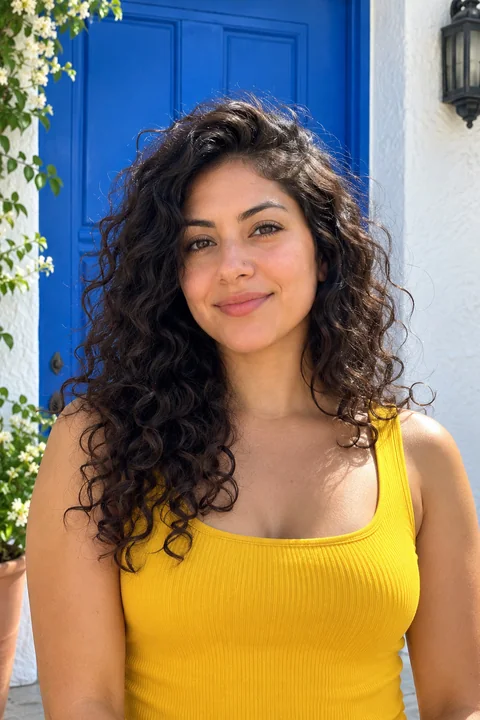
Most people have a photo smile and a real smile, and they know the difference the moment they see a picture. The photo smile is the one you make on command. It tends to sit only in the mouth: the lips pull back, the teeth show, and the eyes stay exactly as they were. A real smile reaches the eyes. The cheeks lift, the outer corners of the eyes crinkle slightly, and the whole face softens.
That difference is what people notice when they say a smile looks forced, even if they can't say why.
Why your smile looks forced in photos
- You're holding it. A real smile appears and fades in about a second. When you hold one while someone finds the angle, the muscles that make it look warm relax first, and what's left is a stiff mouth.
- You're thinking about your teeth. Trying to control how much of your teeth show makes the mouth tense and the rest of the face still.
- Nothing is funny. Real smiles are reactions. "Say cheese" asks for a smile with nothing to react to.
How to get a natural smile when the photo is taken
- Look away, then look back. Look down or off to the side, then turn to the camera and let the photo be taken as you do. You get a fresh expression instead of a held one.
- Breathe out through your nose just before the shot. It relaxes the jaw and shoulders, and a relaxed face smiles more easily.
- Smile with your eyes first. Think of narrowing your eyes slightly, as if you were about to laugh. The mouth tends to follow, and it looks warm instead of posed.
- Have someone make you laugh. The best smile in most camera rolls is the one right after a laugh. Ask the person taking the photo to talk to you, and have them shoot continuously.
- Take many photos. Expressions change from frame to frame. A burst of ten gives you a much better chance at one that looks like you on a good day.
How to fix a forced smile in a photo you already have
Sometimes the photo is right in every other way: the light, the place, your outfit. Only the smile is off. That's a good case for retouching, as long as the retouch is limited to your expression.
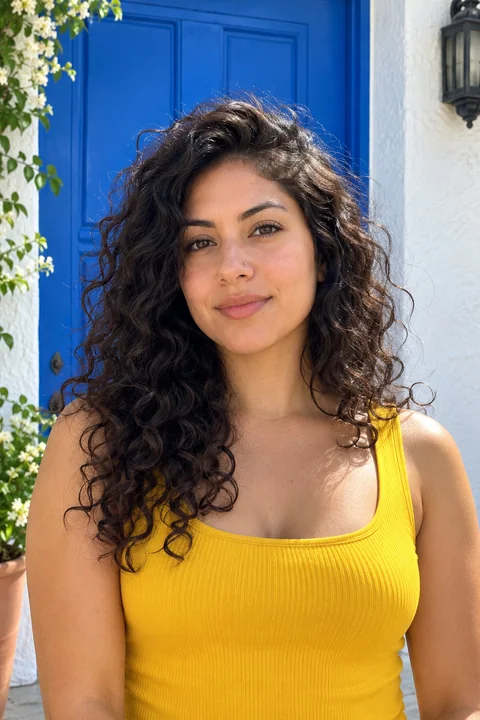 BeforeAfter
In Glowly, the Smile tool is a dial that goes from neutral to a full laugh, so you can pick how much. A few tips for a result that looks real:
- Go less than you think. A small, warm smile is believable in almost every photo. A big laugh only works if the rest of the photo looks like a laughing moment.
- Check the eyes. A real smile changes the eyes too. If the mouth changed and the eyes didn't, it will still look forced.
- Compare with the original. Press and hold to see the before. If you can't tell what changed at first glance, but the photo feels warmer, it's right.
A note on honesty
Fixing a stiff smile is like retaking the photo a second later. It's still your face, your teeth and your expression, only at a better moment. Changing the shape of your face or your teeth is something else, and it's the kind of edit that disappoints people when they meet you. We cover where that line is in Is it OK to edit your dating profile photos?
Fix this in a photo
- Fix closed eyes in a photoBlinked in the one good photo? Open your eyes in the photo you already have. Only your eyes change; the light, the room and your expression stay as they were.
- Fix a forced smile in a photoA stiff, held-too-long smile can make a good photo look awkward. Soften it into a natural one in the photo you already have, and keep everything else.
- Add a smile to a photoLooked serious in a photo you otherwise love? Add a natural, closed or open smile to your own face, and leave the rest of the photo untouched.
Keep reading
- The best dating profile photos, and how to get themWhich photos to use on Hinge, Tinder and Bumble, which to leave out, and how to get good ones from your camera roll without a photographer.
- How to fix closed eyes in a photoSomeone blinked in the one photo where everything else is right. Here are the ways to fix closed eyes on iPhone, from Live Photos to AI retouching, and what to avoid.
- How to take a good selfie: light, angle and a real expressionA good selfie is mostly light, distance and timing. Here is how to take one that looks like you on a good day, with the phone you already have.