
How to look natural in photos when you feel awkward on camera
Why you look stiff in photos even when you feel fine, and practical ways to look relaxed and like yourself, from posture and hands to where to look.

Plenty of people who are warm and easy in person freeze the moment a camera points at them. The shoulders lift, the smile sets, the hands don't know where to go. The result looks nothing like how friends see you. The good news: looking natural on camera is a set of small habits, not a talent.
Why you look stiff in photos
A camera catches a single instant, and most of us brace for it. We hold our breath, hold the smile and hold still, and holding is exactly what reads as stiff. Real expressions are on their way somewhere: into a laugh, out of a sentence, toward a person. The trick is to be moving when the shutter fires, not waiting for it.
There's also the mirror effect. You're used to seeing your face flipped in a mirror, so an unflipped photo can look slightly "off" to you, even when it looks completely normal to everyone else. Ask a friend which photo looks most like you; they're usually right.
Posture: small changes, big difference
- Drop your shoulders. Breathe out just before the shot. Tension collects in the shoulders and neck first.
- Turn a little. Angle your body 20 to 30 degrees away from the camera and turn your face back. Square to the lens looks like an ID photo.
- Shift your weight. Stand on one leg more than the other. It softens the whole body line.
- Chin slightly forward and down. It looks odd in the mirror and good in the photo.
Give your hands something to do
Hands look awkward when they're simply hanging. Give them a job: hold a cup, put a hand in a pocket, touch the strap of a bag, rest an arm on a railing. A real object makes the pose real.
Where to look
- At the lens, for profile and portrait photos. Not at the screen and not at the person's face behind the phone.
- Away and back, for a candid look. Look off to the side and turn back to the camera mid-burst.
- At someone you like, for photos with friends. Laughing at each other usually beats everyone facing the lens.
Get a real expression
- Ask for a burst or a short video and keep talking or laughing through it.
- Count down, then react. Close your eyes, open them on "three". It stops blinks and resets the face.
- Remember something specific that made you laugh. Thinking "smile" makes a posed smile.
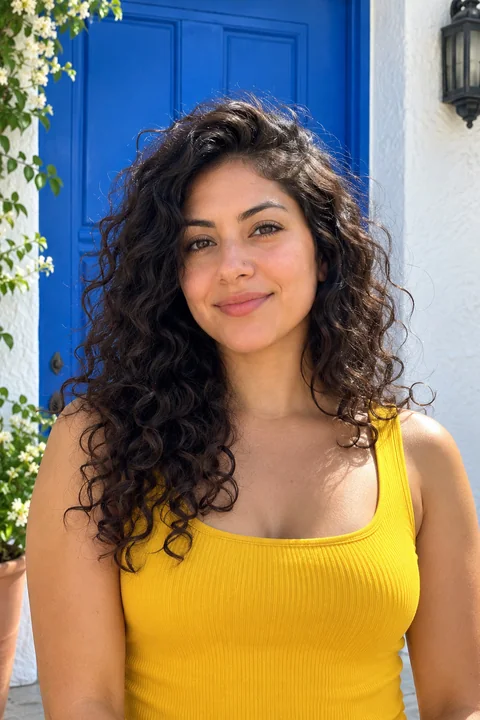 Before
 After
AfterWhen the best photo is almost natural
Often the frame with the best light and setting is the one where your smile set a moment too early, or your eyes were mid-blink. You can keep the moment and fix the face: Glowly's Smile dial goes from neutral to smile to laugh, and the Eyes and Look tools fix a blink or a glance away. Nothing else in the photo changes. See fix a forced smile and add a smile.
The short version
- Breathe out and drop your shoulders.
- Angle your body, turn your face back.
- Give your hands a job.
- Move, laugh and shoot a burst instead of holding a pose.
- Trust a friend's pick over your own.
Looking natural isn't about looking perfect. It's about the photo looking like you, which is also what people want to see. More in how to smile naturally in photos.
Keep reading
- The best dating profile photos, and how to get themWhich photos to use on Hinge, Tinder and Bumble, which to leave out, and how to get good ones from your camera roll without a photographer.
- How to fix closed eyes in a photoSomeone blinked in the one photo where everything else is right. Here are the ways to fix closed eyes on iPhone, from Live Photos to AI retouching, and what to avoid.
- How to take a good selfie: light, angle and a real expressionA good selfie is mostly light, distance and timing. Here is how to take one that looks like you on a good day, with the phone you already have.