
The best dating profile photos, and how to get them
Which photos to use on Hinge, Tinder and Bumble, which to leave out, and how to get good ones from your camera roll without a photographer.
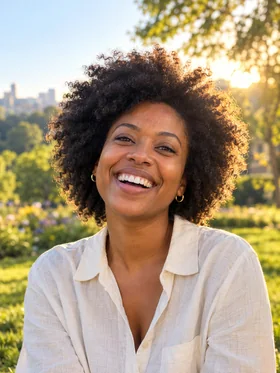
Your photos do most of the work on a dating profile. Before anyone reads a prompt or a bio, they've already decided whether to keep looking. That isn't about being the most attractive person on the app. It's about being clear, warm and easy to picture spending an evening with.
Here is what a good set of photos looks like, and how to put one together from photos you probably already have.
What a good set of profile photos includes
Most apps let you add six photos. A strong set covers four things:
- A clear first photo of your face. Just you, from the chest up, looking at or near the camera, in good light, with a real smile. This is the photo people decide on. No sunglasses, no group, no hat that hides your eyes.
- A full-length photo. Standing, natural posture, in something you'd actually wear on a date. People want to know what you look like, not just your face.
- A photo doing something. Hiking, cooking, playing an instrument, at a market. It gives people something to talk to you about, and it says more than a prompt about what a weekend with you looks like.
- A social photo. One photo with friends shows you have a life. Just one, and make sure it's obvious which person is you.
Fill the rest with photos that add something new: a different setting, a different outfit, a different mood. Six photos taken on the same afternoon don't tell anyone much.
Photos to leave out
- Group photos as your first photo. Nobody should have to work out which one is you.
- Sunglasses in most of your photos. Eyes are how people connect. One sunglasses photo is fine. Three is a pattern.
- Heavy filters. Strong filters make people wonder what's being hidden, and they make your photos look dated fast.
- Old photos. If it's more than a couple of years old, or you've changed your hair, weight or style since, replace it. The first date goes better when you look like your photos.
- Photos with an ex cropped out. The stray shoulder is always visible.
- Bathroom mirror selfies. One good mirror photo can work. A bathroom in the background rarely helps.
How to get good photos without a photographer
Go through your camera roll first. Most people have better photos than the ones on their profile. Look for photos where you're relaxed and the light is good, even if one thing is off: you blinked, the smile was a little stiff, or you were looking away.
Use soft light. The hour before sunset, an overcast day, or a spot near a big window all work. Avoid harsh midday sun directly overhead and dim indoor light, which make everyone look tired.
Have a friend take a lot of photos. Ask them to talk to you while they shoot and to take far more photos than seems necessary. The good ones are the in-between moments.
Keep the camera at eye level or slightly above. Photos from below aren't flattering on anyone.
Fixing the photo that's almost right
The most common problem isn't a bad photo. It's a great photo with one small thing wrong: a blink, a forced smile, a look in the wrong direction, flat light. Those are moments, not features of your face, and they're fair to fix.
 Before
 After
AfterThis is what Glowly is for. You pick a photo you already have, tap Auto or choose a touch like Smile, Eyes or Look, and only your face changes. The place, your clothes and everything around you stay as they were. It doesn't change the shape of your face or body, and it's only for photos of yourself.
A quick checklist before you upload
- Is the first photo just you, clear, smiling, with your eyes visible?
- Is there at least one full-length photo?
- Are all photos from the last two years?
- Does each photo show something the others don't?
- Would your date recognize you from these photos when you walk in?
If you can answer yes to all five, your photos are doing their job. The rest is your prompts, and a good opening message. For specific fixes, see How to fix closed eyes in a photo and How to smile naturally in photos.
Fix this in a photo
- Add a smile to a photoLooked serious in a photo you otherwise love? Add a natural, closed or open smile to your own face, and leave the rest of the photo untouched.
- Make your dating profile photo betterYour best dating photo is often one you already have, minus a blink or a stiff smile. Fix the moment, keep the person, and put your best real photo first.
Keep reading
- How to fix closed eyes in a photoSomeone blinked in the one photo where everything else is right. Here are the ways to fix closed eyes on iPhone, from Live Photos to AI retouching, and what to avoid.
- How to take a good selfie: light, angle and a real expressionA good selfie is mostly light, distance and timing. Here is how to take one that looks like you on a good day, with the phone you already have.
- Is it OK to edit your dating profile photos?Where the line is between fixing a photo and misleading people, with simple rules for what's fair to retouch on a dating profile and what isn't.